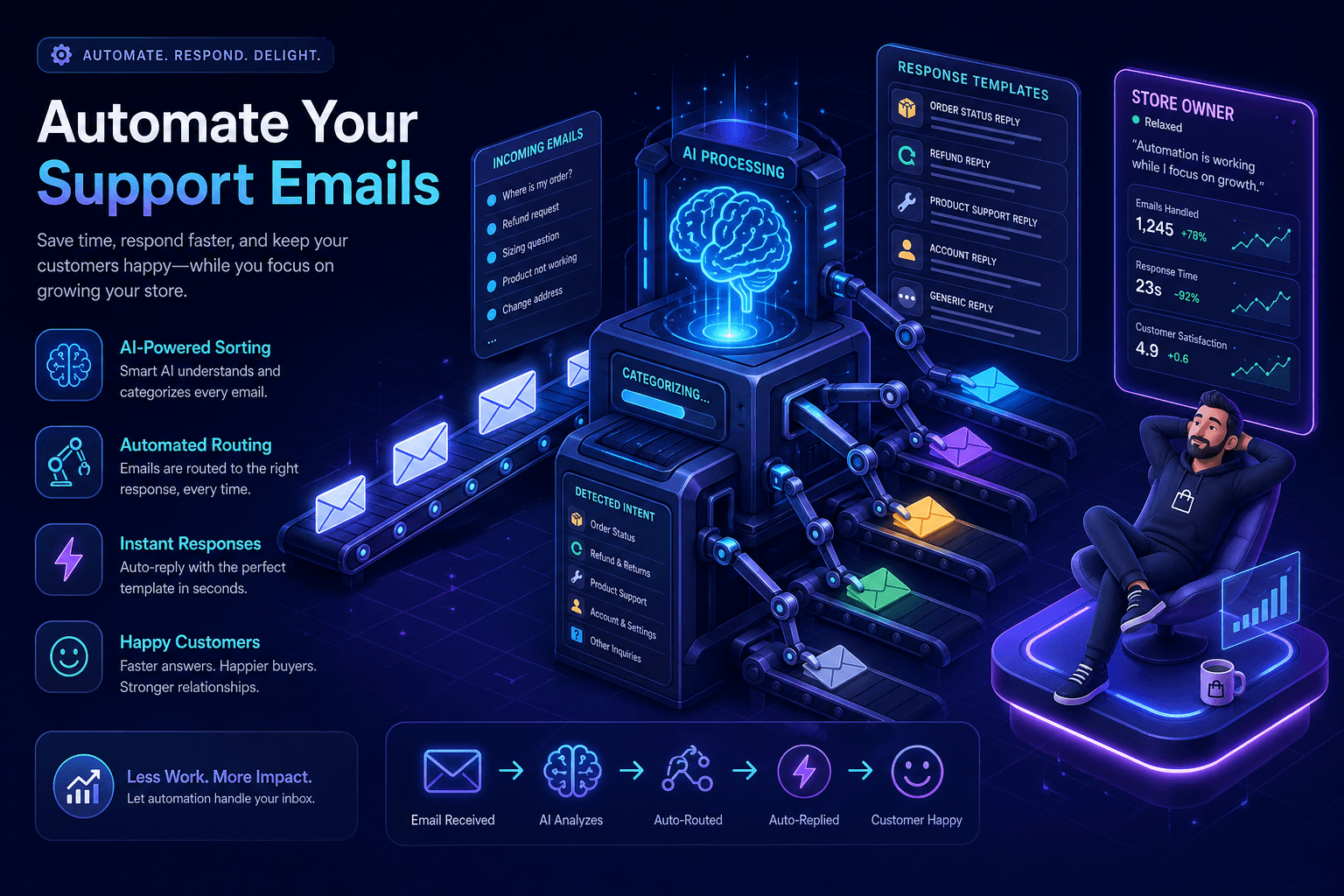
Most Shopify stores do not need fully automated support. They need less repetitive work.
That distinction matters, because a lot of founders hear “automation” and picture cold, broken replies that frustrate customers and create even more cleanup later.
Good automation is not about turning your support into a robot maze. It is about removing the parts of support that are repetitive, predictable, and basically the same every day.
Think tracking requests. Return policy questions. Address changes. Refund timing. Shipping updates. These are not unusual edge cases. They are the bread and butter of ecommerce support.
If you automate these well, you save hours. If you automate them badly, customers feel ignored. So here is how to do it properly.
Step 1: Start with the emails you already get every week
Before you automate anything, look at the last 50 to 100 support emails in your inbox. Sort them into buckets.
Usually the big ones are:
- Where is my order?
- How do returns work?
- Can I change my shipping address?
- Can I cancel my order?
- When will this ship?
- My tracking has not updated
Those are your first automation candidates. Do not try to automate every weird situation. Automate the repeatable stuff first.
Step 2: Fix the preventable questions before automating replies
This part gets skipped too often. If customers keep emailing because your site or post-purchase emails are unclear, automation treats the symptom but not the cause.
Look at what could be prevented with better communication:
- Clearer shipping estimates on product pages
- Better order confirmation emails
- Stronger shipping confirmation emails with obvious tracking links
- Plain-English return policy pages
- FAQ answers for your top support questions
Every email you prevent is better than an email you automate. The inbox gets quieter and the customer experience improves at the same time. We covered one of the biggest preventable categories in our guide to reducing “Where is my order?” emails.
Step 3: Build good saved replies first
Even if you want AI involved, good automation usually starts with clear templates.
A useful saved reply should do three things:
- Answer the question directly
- Say what happens next
- Give the customer an easy next step if they still need help
For example:
Hey {{name}}, thanks for reaching out. I checked your order and it shipped on {{ship_date}}. Here is your tracking link: {{tracking_link}}. Tracking can take 24–48 hours to update after the carrier scans the parcel. If it still has not moved after that, reply here and we will look into it.
That is short, useful, and easy to adapt. Once you have strong base replies, automation gets much safer.
Step 4: Use Shopify data, not generic AI guesses
This is where a lot of automation falls apart. A tool that only sees the email text cannot tell whether an order shipped, whether a refund was already issued, or whether the customer is still inside your return window.
That means it starts guessing. And guessed support replies are dangerous because they sound confident.
Proper Shopify support automation should use real store context: order details, tracking info, product data, customer history, and your policies. Without that, it is not real automation. It is just fast wording.
That is why a tool like RegardsKim is useful. It reads the email, pulls in the Shopify context, and drafts a reply based on what is actually true, not what sounds plausible.
Step 5: Keep approval in the loop at first
If you are automating support for the first time, do not jump straight to full auto-send on day one.
Start with draft automation. Let the system prepare replies. You review them quickly, approve the good ones, tweak the edge cases, and build trust in the workflow.
This gives you most of the speed benefit without taking unnecessary risk. It also helps you spot which categories are safe to automate more aggressively later. If you are still deciding between software and hiring, compare that path with bringing on a virtual assistant.
Step 6: Separate routine support from real exception work
Not every email deserves the same level of automation.
Good candidates:
- Tracking updates
- Return instructions
- Basic refund policy questions
- Address changes before fulfillment
- Restock follow-ups
Bad candidates, at least early on:
- Angry customers
- Lost packages
- Damaged item disputes
- VIP customers
- Anything unusual or high-value
Automation should take the boring weight off your plate so you have more attention for the cases where judgment matters.
Step 7: Measure time saved, not just response volume
The real win is not “we automated 60 emails.” The real win is “support no longer eats 90 minutes every morning.”
Track simple numbers like:
- How many replies needed only minor edits
- How many emails were resolved on the first reply
- How much founder or team time was saved each week
- Whether customer satisfaction stayed steady or improved
If the automation saves time but creates more confusion, it is not working. If it saves time and keeps reply quality high, you are on the right track.
A simple automation stack for a small Shopify store
For many merchants, a sensible setup looks like this:
- Clear shipping and return info on the site
- Better post-purchase emails
- Saved replies for common cases
- Shopify-aware AI auto-drafts for incoming emails
- Human review for anything messy or sensitive
That is enough to reduce support workload dramatically without making the whole experience feel robotic.
Final thought
The goal is not to automate customer care out of your store. The goal is to automate the repetitive parts so your actual care can show up where it matters.
Done right, support automation makes replies faster, more accurate, and less draining to manage. Done badly, it turns into polished nonsense.
Start small. Use real store data. Keep approvals in place. And focus on the questions you already know are predictable.
That is how you automate Shopify support emails without making customers feel like they are talking to a wall.
Related posts
Keep reading
June 23, 2026
AI Auto-Drafting Emails for Shopify Support: What to Automate and What to Keep Human
Learn how AI auto-drafting helps Shopify stores answer support emails faster while keeping every customer reply under human review.
Read post →March 22, 2026
How to Reduce 'Where Is My Order?' Emails in Your Shopify Store
Tired of constant ‘Where is my order?’ emails? Here are practical ways Shopify stores can cut WISMO support questions.
Read post →March 29, 2026
How to Scale Customer Support Without Hiring a Team
Learn how Shopify store owners can handle more customer support without hiring a full team or spending all day in the inbox.
Read post →