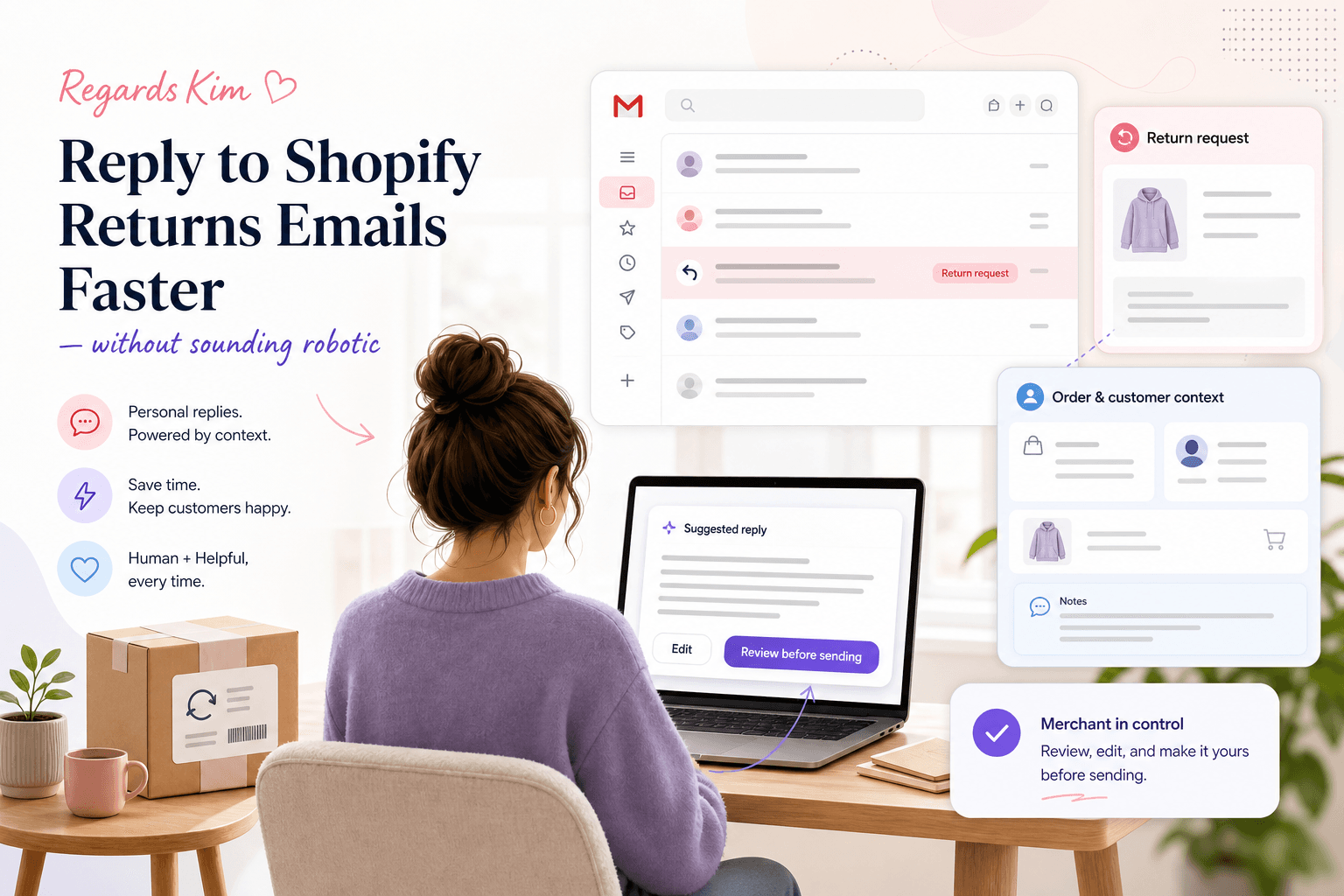
Shopify returns emails are easier to handle when your team has three things ready: the order context, the return policy, and a reply structure that sounds like a person. Without those, every return request becomes a slow search through Shopify, Gmail, policy pages, and old messages.
The goal is not to make returns support cold or automated. The goal is to answer faster while still giving the customer a clear, calm reply that fits your store's voice.
For small Shopify teams, returns emails usually repeat the same few questions: Can I return this? How do I send it back? When will I get my refund? Can I exchange it instead? What if the item arrived damaged?
If those questions are handled from scratch every time, support slows down. If they are handled with clear context and reusable reply patterns, returns become much easier to manage.
Why returns emails take longer than they should
A returns email looks simple on the surface, but the answer often depends on details that live in different places.
Your team may need to check the order date, delivery date, product type, discount used, return window, item condition, shipping region, customer history, and whether the customer wants a refund, exchange, or store credit.
That is why return requests can quietly eat up support time. The typing is not always the hard part. The slow part is collecting the facts before anyone can write a useful answer.
A better returns workflow reduces that search time and gives the person replying a safe starting point.
Start with the customer's actual question
Not every returns email needs the same answer.
Some customers are asking whether they are eligible. Some already know they want to return the item. Some are frustrated because the product was not what they expected. Some are really asking for an exchange, even if they use the word return.
Before using a saved reply, sort the message into the right type. This keeps the answer relevant and prevents the robotic feeling that happens when a customer gets a policy dump instead of a response to their situation.
Common Shopify returns email types include:
- Eligibility questions before the customer starts a return.
- Return instructions after the customer has decided to send the item back.
- Exchange requests for size, colour, or product fit.
- Refund timing questions after the return has been posted.
- Damaged, faulty, or incorrect item messages that need extra care.
When your team can identify the type quickly, the reply becomes shorter, clearer, and easier to personalise.
Keep order context close to the reply
Returns support gets risky when the person replying has to rely on memory.
A customer may say, "I want to return this," without including the order number. The team then has to find the customer in Shopify, confirm the order, check the delivery date, and compare it with your return window.
If the reply is sent without those details, you may accidentally approve something outside policy, reject something that should be allowed, or create another email because the answer is vague.
A good Shopify returns workflow puts the useful context near the email: customer name, order number, delivery status, items ordered, fulfilment status, and the relevant policy detail.
This is one reason Gmail-only support can start to feel messy as a store grows. Gmail holds the conversation, but Shopify holds the facts. If you use Gmail for support, set up a workflow that connects the message to the order before anyone replies. The guide to using Gmail for Shopify customer support covers a practical setup for that.
Use templates as scaffolding, not scripts
Returns templates save time, but only when they leave room for the customer's situation.
A bad template sounds like it was pasted without reading the email. A good template gives your team the shape of the answer, then lets them adjust the details.
A useful returns reply usually includes:
- A short acknowledgement of what the customer wants.
- The policy or eligibility answer in plain language.
- The next step the customer should take.
- Any timing expectations, such as when refunds are reviewed or processed.
- A warm sign-off that matches your brand.
For example, instead of sending a long policy block, your team might write: "Thanks for your order. I've checked the delivery date, and it looks like this is still inside our 30-day return window. You can send it back using the instructions below. Once it arrives and has been checked, we'll update you on the refund."
That is still structured. It just sounds like a person because it answers the customer's exact situation.
If you are building out your saved replies, the guide to customer service email templates that still sound human has a broader framework you can reuse.
Write refund timing in plain language
Refund timing is one of the easiest places to create extra support emails.
If the customer does not know what happens next, they will often email again. They may ask whether the parcel arrived, whether the return was accepted, whether the refund has been sent, or why their bank has not shown the money yet.
You can reduce those follow-ups by being specific without overpromising. Say when the return is reviewed. Say what condition needs to be checked. Say that bank processing times can vary if that is true for your store and payment setup.
Plain refund timing beats vague reassurance.
Avoid: "Your refund will be with you soon."
Better: "Once the returned item reaches us, we'll check it against our returns policy and update you. If the return is approved, the refund is processed from our side, then your bank or payment provider may take a little longer to show it."
That kind of wording does not pretend the store controls every step. It gives the customer a realistic path.
Handle damaged or incorrect items separately
Damaged, faulty, and incorrect item emails should not be treated like standard returns.
These messages carry more emotion because the customer did not simply change their mind. They paid for something and feel the store made a mistake, the courier damaged the item, or the product did not arrive as expected.
The reply should acknowledge the problem first, then ask for whatever evidence or details your process needs. If you jump straight to policy language, the customer can feel brushed off.
Keep a separate saved reply for this category. It should be warmer, more careful, and easier for a human to review before it goes out.
How RegardsKim helps with Shopify returns emails
RegardsKim is AI-powered customer support for Shopify stores. It is built for merchants who use a Gmail-based support workflow and want faster answers without moving into a heavy help desk.
For returns emails, RegardsKim can help by sorting repetitive support messages, bringing Shopify order and customer context closer to the conversation, drafting Shopify-aware replies for review, supporting saved replies, and helping your team keep common policy details handy.
The merchant stays in control of the reply. RegardsKim is there to reduce the searching, rewriting, and context switching around the email, not to make sensitive returns decisions without review.
If repetitive customer emails are eating your week, RegardsKim gives your Shopify store AI-powered customer support inside a Gmail-based workflow. Join the Founding 100 if you want early access at the founding price.
A faster return reply should still feel human
Returns are part of ecommerce. They do not have to take over your inbox, and they do not have to sound cold.
The practical fix is simple: sort the request, check the Shopify context, use a flexible reply structure, and make the next step clear.
When those pieces are ready, your team can reply faster without making customers feel like they are talking to a policy page.
Kind regards, Kim